Finding or Starting a Game
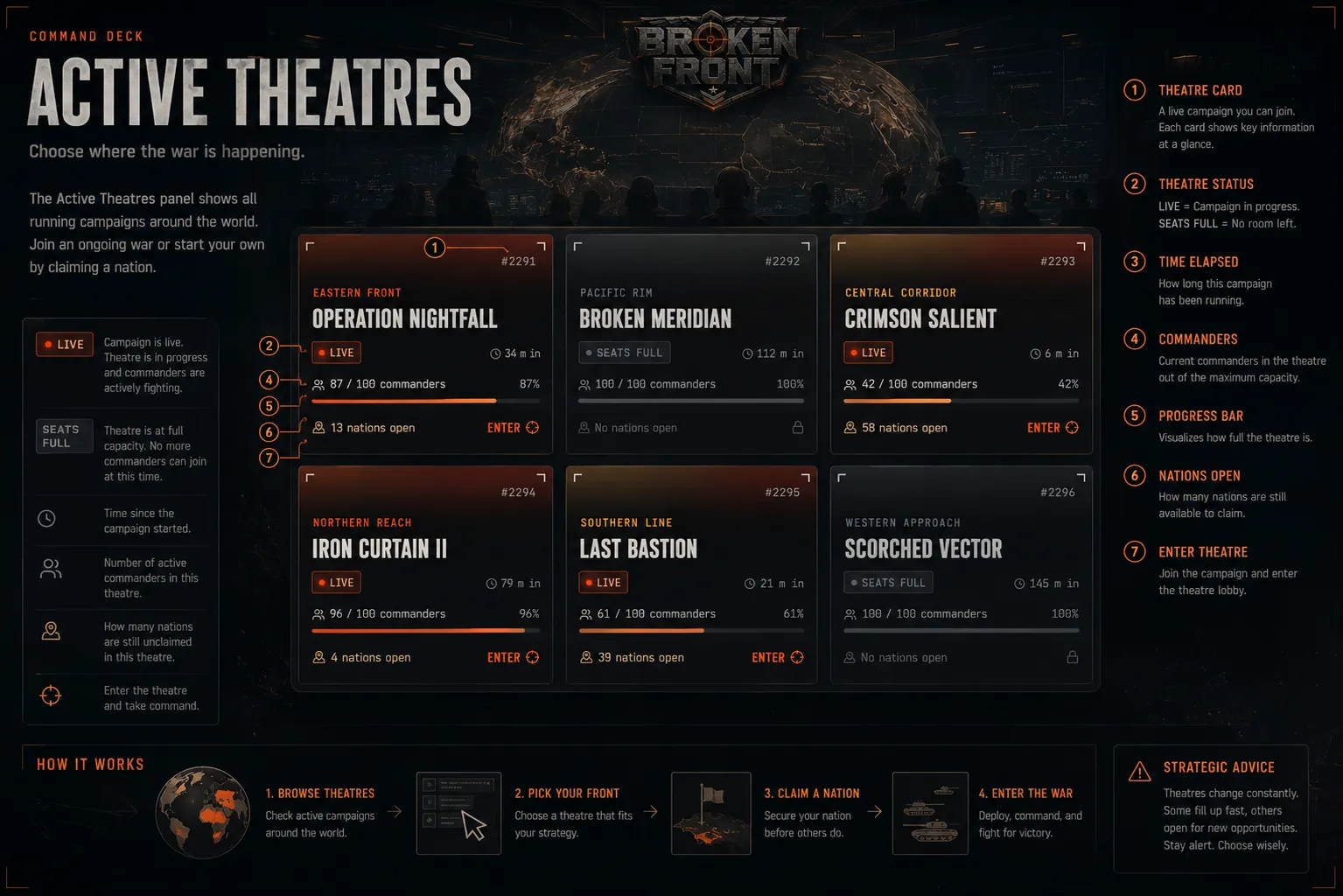
The Command Deck — where every campaign starts.
The Command Deck
Opening the game lands you on the Command Deck. Two tabs: Theatres lists open games you can join; My Campaigns lists games where you already hold a nation. Every open theatre shows players joined out of the max, and how many countries are still free to claim. A theatre marked LOCKED has no playable countries left — you can't enter it.
Taking a Seat
Selecting an open theatre seats you in that game, but nothing is claimed yet — picking your nation is the next step. There's no timer on the Command Deck, and you can back out to the theatre list at any point before deploying, penalty-free.